



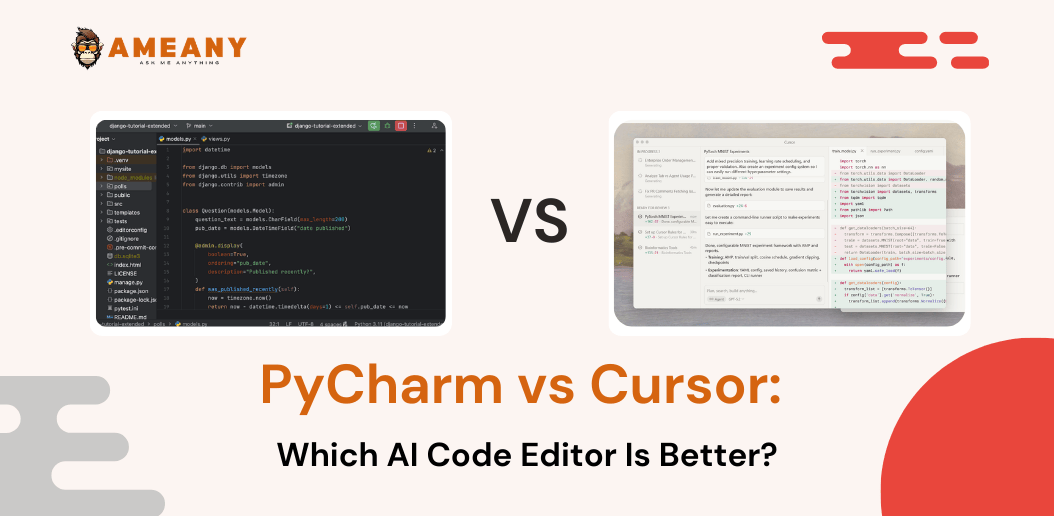
For developers, the Integrated Development Environment (IDE) or Code Editor is more than just a tool—it is a digital home. In 2026, the competition between VS Code, Cursor, and PyCharm has never been more intense. Each offers a different philosophy: one focuses on flexibility, one on cutting-edge AI integration, and one on deep, specialized productivity.
Choosing the “best” one depends entirely on your workflow, your language of choice, and how much you rely on AI to write your code.
1. VS Code: The Modern Standard
Visual Studio Code (VS Code) is the most popular code editor in the world for a reason. It strikes a perfect balance between being lightweight and incredibly powerful.
- The Philosophy: It is built on a “base” editor that is fast and simple. You then use the Extension Marketplace to turn it into whatever you need—a Python environment, a web dev powerhouse, or a cloud-deployment tool.
- The Pros: It is free, open-source, and has an extension for literally everything. If a new technology is released, there is an official VS Code extension for it within days. It is fast, reliable, and has a massive community.
- The Cons: Because it relies so heavily on extensions, it can become “bloated.” If you install too many plugins, your startup time slows down and it consumes more memory.
- Best For: Web developers (HTML/CSS/JS), those who work across many different languages, and anyone who wants a highly customizable experience.
2. Cursor: The AI-First Challenger
Cursor is the newest player in this space, and it is rapidly changing how we think about coding. It is actually built on top of the VS Code codebase, meaning it feels familiar if you are already a VS Code user, but it has been completely “re-wired” for AI.
- The Philosophy: AI isn’t an “add-on” or an extension in Cursor; it is the core of the editor. It understands your entire codebase, can suggest changes across multiple files, and can debug code by “reading” your project logs.
- The Pros: Its AI integration is vastly superior to any plugin. It can write whole features, refactor code, and explain complex logic with deep context of your specific project. For developers who want to move fast, Cursor acts like a pair-programmer that never sleeps.
- The Cons: It is a paid product for advanced features, and since it is newer, it lacks the decades of stability and the massive library of third-party plugins that the standard VS Code has.
- Best For: Developers who want to leverage the power of LLMs (like Claude/GPT-4) to speed up coding, refactoring, and learning new frameworks.
3. PyCharm: The Specialized Professional
PyCharm, developed by JetBrains, is not just an editor; it is a full-featured IDE designed specifically for Python.
- The Philosophy: PyCharm follows an “everything included” approach. While VS Code asks you to install extensions to get features, PyCharm ships with powerful debugging, database tools, testing frameworks, and version control integrated out of the box.
- The Pros: Its understanding of Python is unmatched. It offers superior “IntelliSense” (code suggestions), and its debugger is the best in the industry. It understands your project’s structure, dependencies, and environments better than any lightweight editor can.
- The Cons: It is heavy. It takes much longer to launch than VS Code or Cursor and requires more RAM. It is also a commercial product; while there is a “Community Edition,” the full power is behind a subscription.
- Best For: Data scientists, backend engineers working strictly in Python/Django/FastAPI, and developers working on massive, complex enterprise projects where stability and deep analysis are more important than startup speed.
Comparison at a Glance
| Feature | VS Code | Cursor | PyCharm |
| Foundation | Open Source | VS Code Fork | Proprietary (JetBrains) |
| AI Integration | Plugin-based (Basic) | Native (Deep/Expert) | Plugin-based (Growing) |
| Resource Usage | Medium | Medium-High | High |
| Language Focus | Universal | Universal | Python-Centric |
| Setup Time | Quick | Quick | Long (Deep config) |
Which One Should You Choose?
- Choose VS Code if: You are a student, a web developer, or someone who loves to customize their setup with plugins. It is the safest, most reliable choice for 90% of developers.
- Choose Cursor if: You want to be a “10x developer” by using AI to handle the boilerplate. If you are comfortable paying for the future of development, this is the most exciting tool on the market right now.
- Choose PyCharm if: You are working on a professional, complex Python backend or data science project. When you need deep code analysis, a robust debugger, and seamless database integration, nothing beats the “JetBrains experience.”
Final Thoughts on “Speed”
You asked about speed, but you must distinguish between IDE Startup Speed and Development Speed.
If you want the editor to open instantly, VS Code is your best bet. If you want to finish your coding tasks 2x faster, Cursor is the clear winner because the AI does the heavy lifting. If you want your code to be bug-free and optimized for professional deployment, PyCharm’s deep analysis tools will save you time in the long run by catching errors before you even run the script.
As a developer, my advice is simple: Don’t get married to one. Use VS Code for light web work, keep Cursor ready for when you need to brainstorm and write complex logic, and use PyCharm when you are ready to ship a serious, production-grade Python application.