



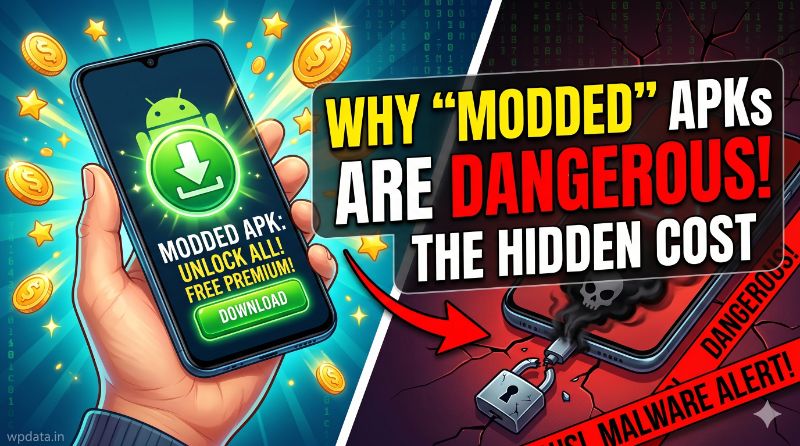
In the world of mobile gaming and apps, we have all seen the tempting advertisements: “Download this modded APK to get unlimited coins, unlocked premium features, and no ads for free!”
For many students and mobile users, it sounds like a dream. Why pay for a premium app or work hard to earn game currency when you can get it instantly with a single download? However, as a developer and someone who cares about digital safety, I am here to warn you: downloading modded APKs (Modified Android Packages) is one of the riskiest things you can do with your smartphone.
In this article, we will explore why these files are dangerous and why you should avoid them at all costs.
What Exactly is a Modded APK?
An APK is the file format Android uses to install applications. Normally, you get these from the official Google Play Store. These files are checked by Google’s security systems to ensure they are safe.
A “Modded” APK, on the other hand, is a version of an app that has been hacked or altered by a third party. They take the original file, “unpack” it, change the code to bypass security checks (like removing payment requirements or ad-blocks), and then re-package it for you to download.
The problem? When someone else opens the “hood” of an app and tinkers with the code, they can add whatever they want to it.
The Top 3 Dangers of Modded APKs
1. Invisible Malware and Spyware
When you install a modded app, you are often asked to “allow installation from unknown sources.” This essentially tells your phone to lower its guard. Hackers often hide malware or spyware inside these modified files.
Once installed, this software can run in the background, invisible to you. It can record your keystrokes (stealing passwords), watch your camera, listen to your microphone, or even read your private text messages. You think you are getting a game, but you are actually handing a stranger the keys to your digital life.
2. The “Backdoor” to Your Data
Many modded apps require “Root” access or special permissions that they don’t actually need to function. For example, why would a simple offline puzzle game need permission to access your contacts, your location, and your storage?
By granting these permissions, you are giving the modded app a “backdoor” into your personal files. This allows the hackers to steal your photos, your login credentials for banking apps, and even your contact list to scam your friends.
3. Account Bans and Security Risks
Major game developers have become very good at detecting modified files. If you use a modded APK to get “unlimited gold” in a popular game, the game’s server will likely notice the impossible math.
The result? Your account gets permanently banned. Worse, if you logged into that game using your Google or Facebook account, the modded app may have compromised your primary account security, putting your social media or email identity at risk.
Why “Speed” is a Myth (The Truth About Performance)
You might have heard that some “modded” versions make apps faster or remove “bloatware.” This is almost always a lie.
Because modded apps are not optimized by the original developers, they are often unstable, prone to crashing, and consume more battery power than the official versions. They are built for one purpose: to trick you into installing them so the creator can profit from your data or ad-clicks. There is no such thing as a “faster” modded APK; they are simply poorly coded versions of legitimate software.
How to Protect Yourself
If you want to enjoy apps safely and keep your phone fast and secure, follow these three rules:
- Stick to Official Stores: Only download apps from the Google Play Store or the official website of the app developer. These sources are scanned and verified.
- Avoid “Unlimited” Promises: If an offer seems too good to be true (like free premium features), it is too good to be true. Developers need to make money to support their apps; skipping the payment usually means you are paying with your personal data instead.
- Use a Security Scanner: If you absolutely must test an app, keep a trusted antivirus app installed on your phone. It can help identify malicious code before it does serious damage to your device.
The Final Verdict
Your smartphone holds your most private information—your photos, your messages, and your financial data. Saving a few dollars on a premium app or getting a shortcut in a game is simply not worth the risk of losing your digital identity to a hacker.
As a developer, I encourage you to support the creators whose apps you enjoy. When you pay for an app or watch the ads, you aren’t just getting a service; you are helping developers keep their apps secure, updated, and free of malware.
Stay safe, stay official, and keep your phone clean!
Note for your site: Articles like this are excellent for your “Tech” or “Cyber Security” category. They provide “High-Value” advice that warns users against harmful behavior, which builds trust with your audience and increases your E-E-A-T (Expertise, Experience, Authoritativeness, and Trustworthiness) in the eyes of Google.